
Reads any statement format
CSV, PDF, OFX and QFX exports, plus image scans and phone photos — handled by one importer.
Smart Import reads a CSV, PDF, OFX file, or a scanned bank statement, extracts every transaction with AI, and suggests the right account for each one. You review and import in seconds — no manual data entry, no formatting.
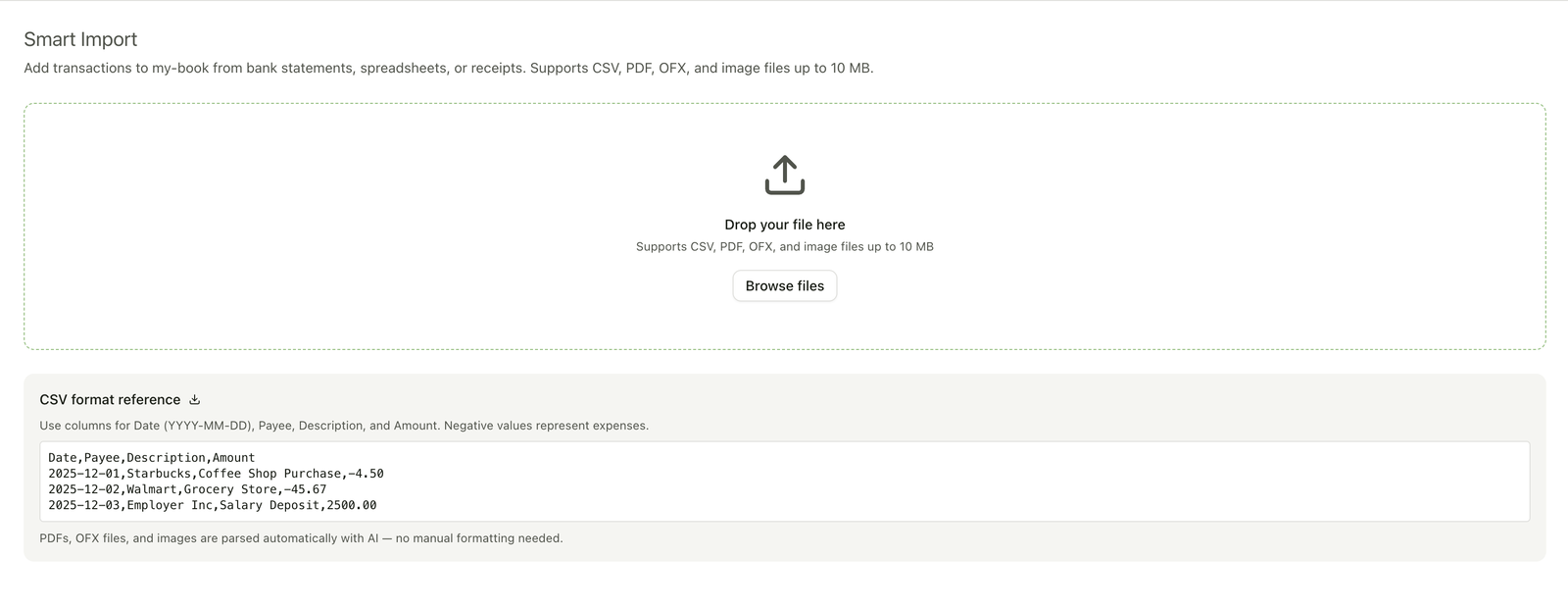
Exported from your bank, downloaded from online banking, or snapped on your phone — Smart Import takes it from here.
Spreadsheet and bank exports — parsed instantly.
Bank and card statements — read by AI.
Open Financial Exchange downloads from online banking.
Photos and scans of paper statements.
No importer scripts, no column mapping, no copy-paste. Just drop, review, categorize, and import.
CSV, PDF, OFX/QFX, or a photo of a paper statement — up to 10 MB. CSV files are parsed instantly in your browser; PDFs, OFX files, and images are read by AI.
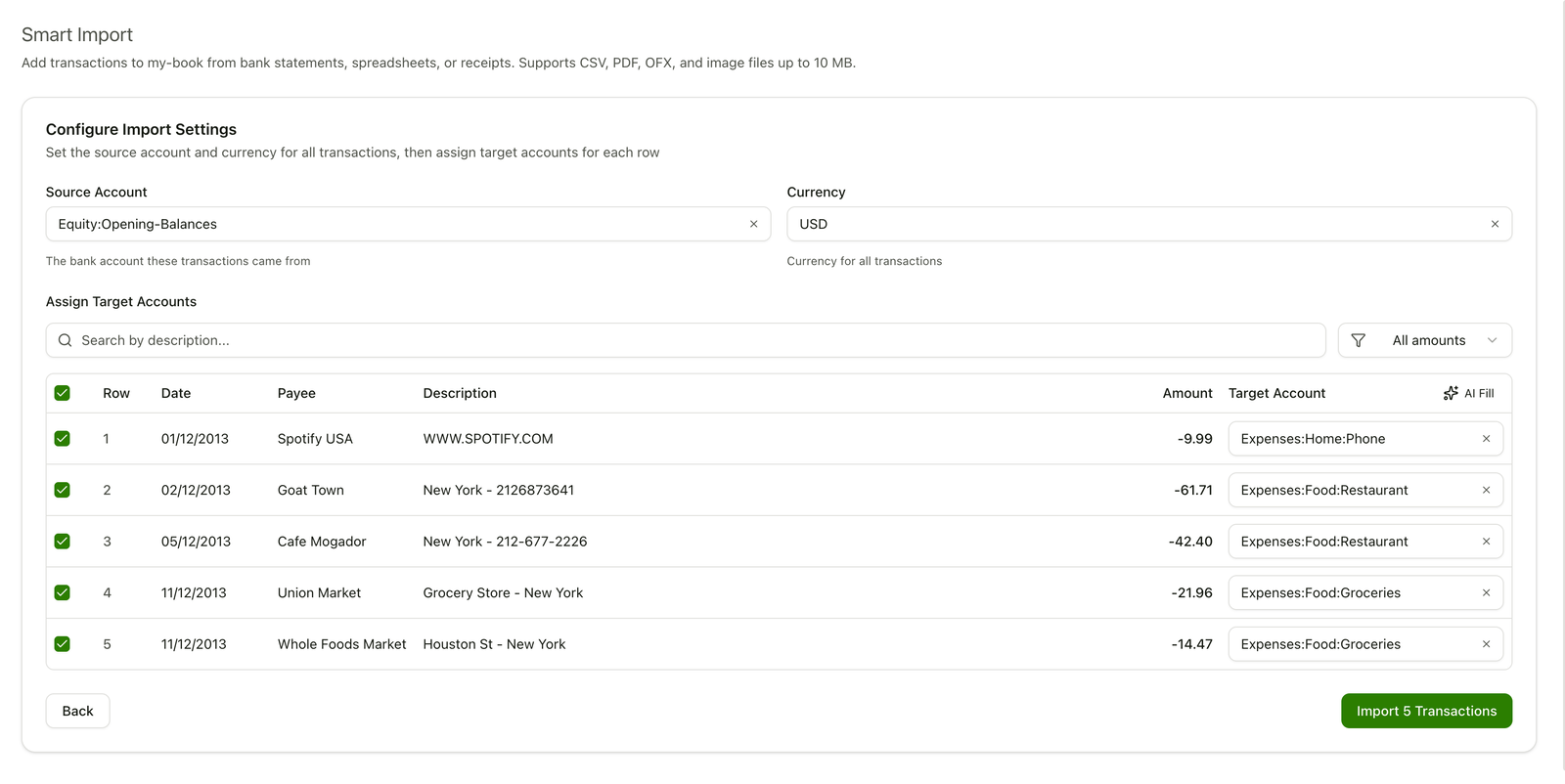
Speed where it helps, control where it counts — so what lands in your ledger is exactly what you meant.
CSV, PDF, OFX and QFX exports, plus image scans and phone photos — handled by one importer.
An AI model reads unstructured PDFs and images and pulls out structured transactions. No per-bank importer to configure.
One click on AI Fill suggests a target account for every transaction, drawn from your own chart of accounts.
Preview, edit inline, or reject any row. Nothing is written to your ledger until you click Import.
Every import is a real Git commit you can review or revert with standard tools — a full history of what changed.
Transactions land as clean Beancount entries in files you own. Read them, export them, or leave anytime.
CSV, PDF, OFX, and QFX files, plus image scans and photos (PNG or JPG), up to 10 MB per file. Drop an export from your bank, a downloaded statement, or a picture snapped on your phone.
Yes. CSV files are parsed instantly in your browser. PDFs, OFX files, and images are read by an AI model that pulls out each transaction's date, payee, amount, and description. A second AI step then suggests a target account for every row, drawn from your own chart of accounts.
No. You preview every extracted transaction, edit any field inline, and remove rows you don't want — then explicitly click Import. Nothing is written until you approve it, and each import lands as a Git commit you can review or revert.
Smart Import runs entirely in your browser — there is no config.py to write, no Python to install, and no per-bank importer to maintain. You drop a file and review the result.
Bank Sync connects to your bank through Plaid and pulls in transactions automatically on an ongoing basis. Smart Import is for files you already have — statements, exports, and scans — and needs no bank connection.
Every suggested account is editable before import. Change it in one click, or assign accounts yourself. Because nothing is committed until you approve, a wrong guess never reaches your ledger.
Your ledger lives in your own Git repository, and imported transactions are plain-text Beancount you can read, export, or roll back at any time. There is no proprietary format and no lock-in.
Drop a file, let AI do the extraction and categorization, and keep full control of what lands in your ledger.