
A single Beancount ledger can span multiple files. Splitting your ledger — for example, one file per year, per account family, or per asset class — keeps large ledgers organized and makes archiving old transactions straightforward. Beancount stitches the files together with include directives in main.bean.
Follow these steps to create and manage additional files in the beancount.io editor:
Create a new file
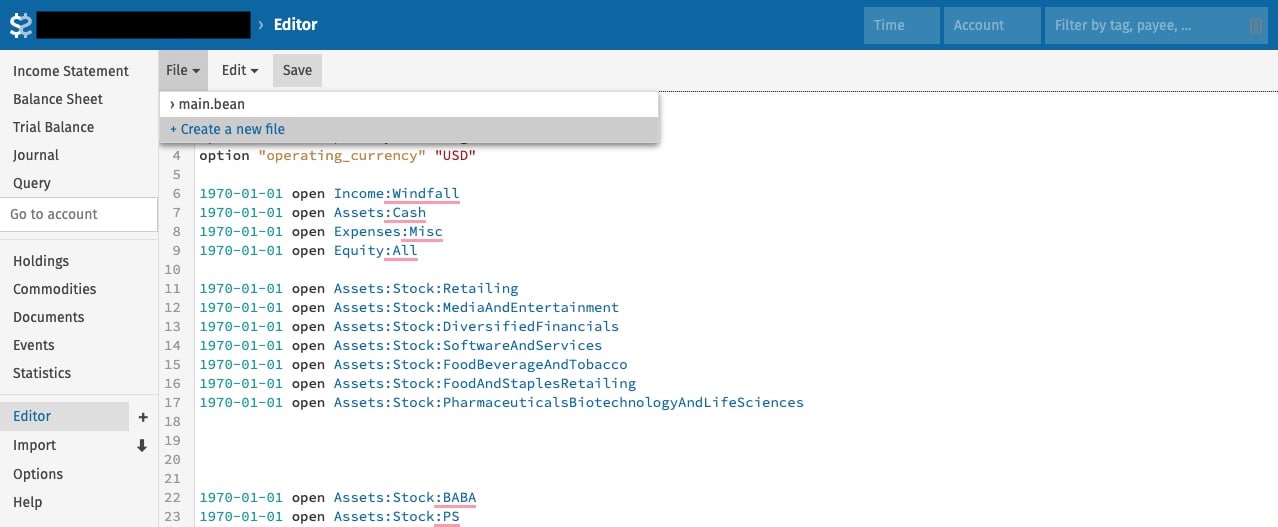
Go to the file editor tab on the left navigation sidebar. Open the "File" dropdown and click "Create a new file".
Name your new file
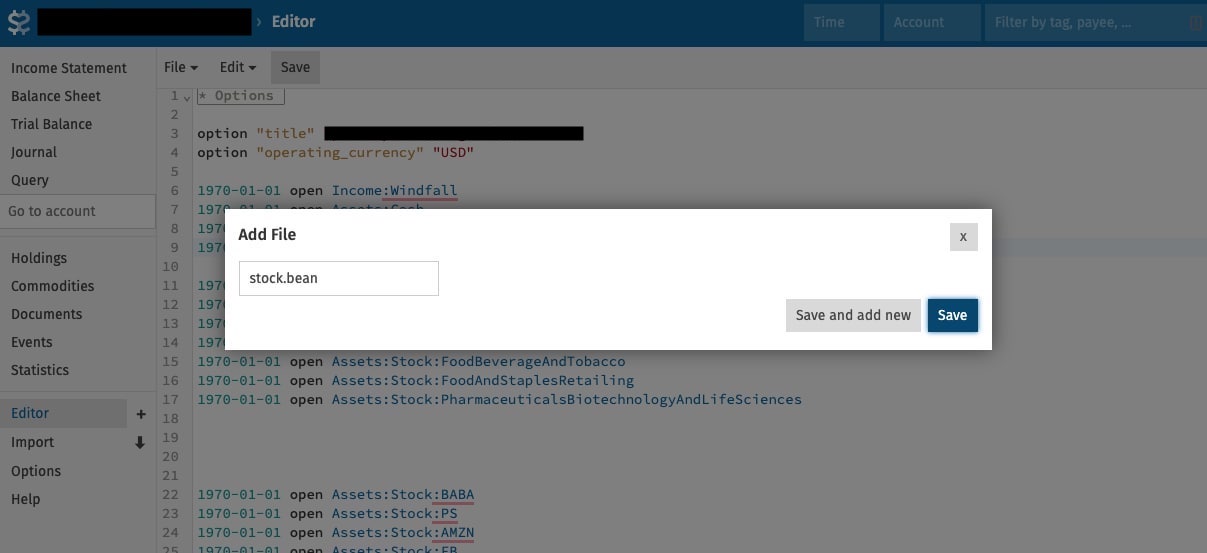
Give the file a valid filename and save it. Every filename must end with .bean.
Include the file
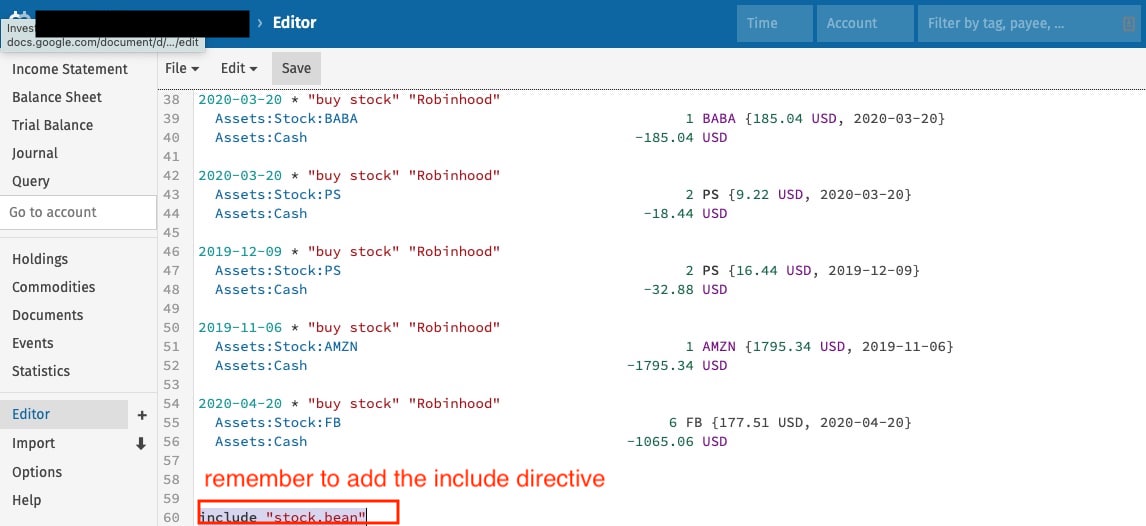
This step is required: include the newly created file in main.bean, or its entries won't be part of the ledger.
For example, if you added stock.bean, add include "stock.bean" to main.bean.
Include a managed price feed
Hosted Beancount.io can also resolve a supported price URL as a read-only virtual file. Use the Live Prices picker and setup guide to choose feeds and paste their includes into a file your ledger loads. Managed prices are not editable files created through this workflow. Upstream Beancount and Fava need local price files; compatible bea versions have separate managed-include support.
Refresh and navigate to the file
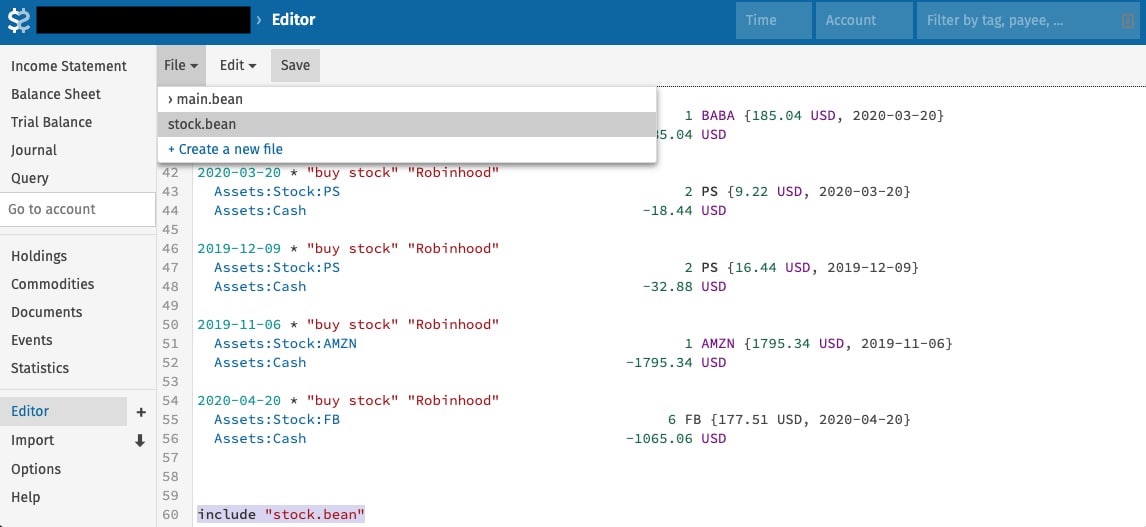
Refresh the page, and the file appears in the "File" dropdown.
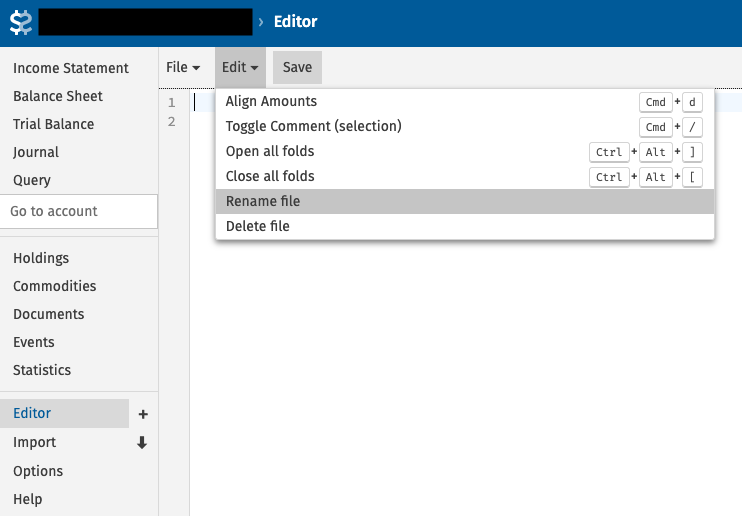
Rename or delete the file
With the file open, rename or delete it from the "Edit" dropdown.
Having trouble?
Ask questions in the Beancount Telegram group.